
Moen Smart Water App Design System & Watering Schedule
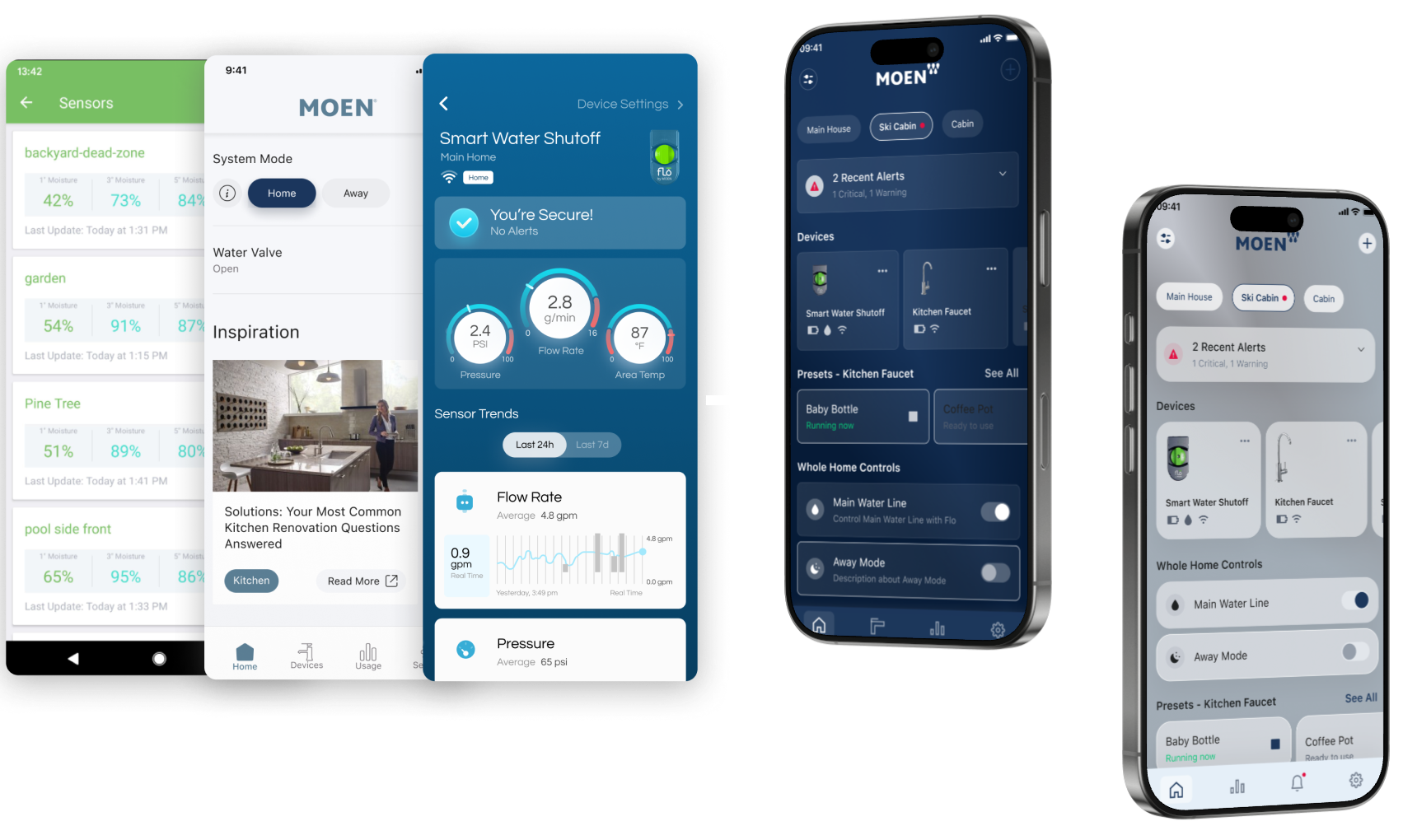
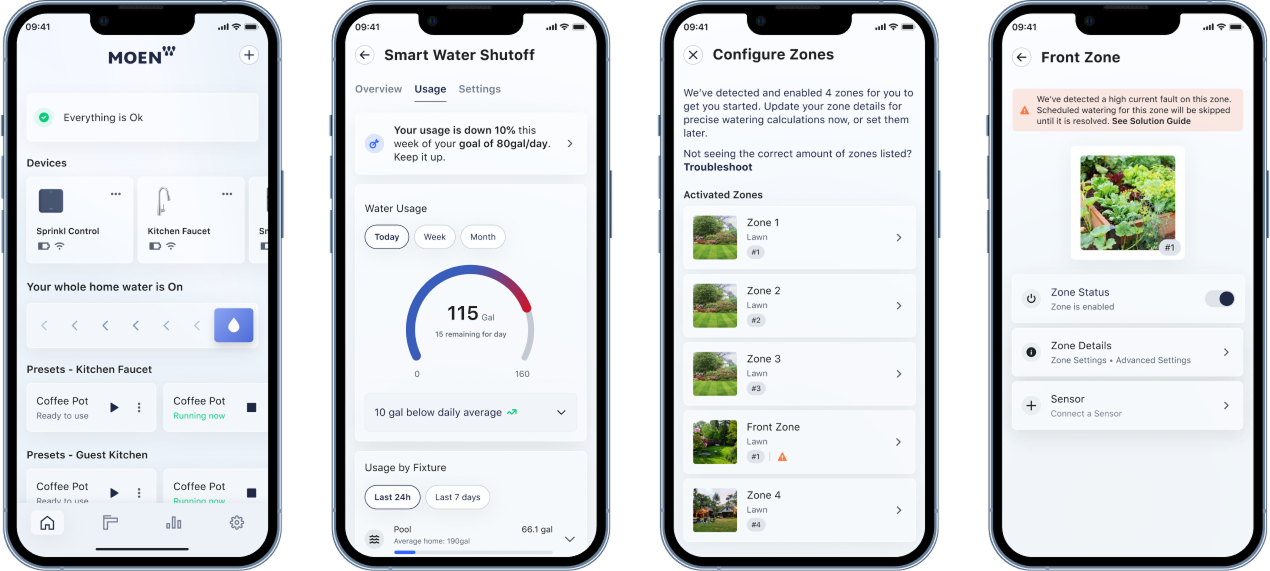
Moen, a globally recognized faucet and water hardware manufacturer, has entered the Smart Home market by acquiring three companies. The intention behind this acquisition is to integrate these companies into their existing app through a scalable design system.
Moen
UX/UI Designer with UX Cabin
Figma, Zeplin, Confluence, Jira
Matias Fiore - Senior UI Deisgner
Brendon Hoover - UX/UI Designer
Travis Hansen - Motion Designer
UI Audit, Design System Architecture, Usability Testing
Design Journey
My Role: UX/UI Designer with UX Cabin
On contract assignment with UX Cabin, I was responsible for establishing and organizing Moen's design system foundation, creating key UI components, designing and prototyping the watering schedule feature with detailed micro-interactions.
Design System Foundation
Auditing & Organizing
I began by conducting a comprehensive audit of Moen's existing UI libraries and mobile applications. This involved reviewing legacy Sketch and Figma files across three separate apps that were being consolidated, identifying inconsistencies, redundancies, and opportunities for standardization.
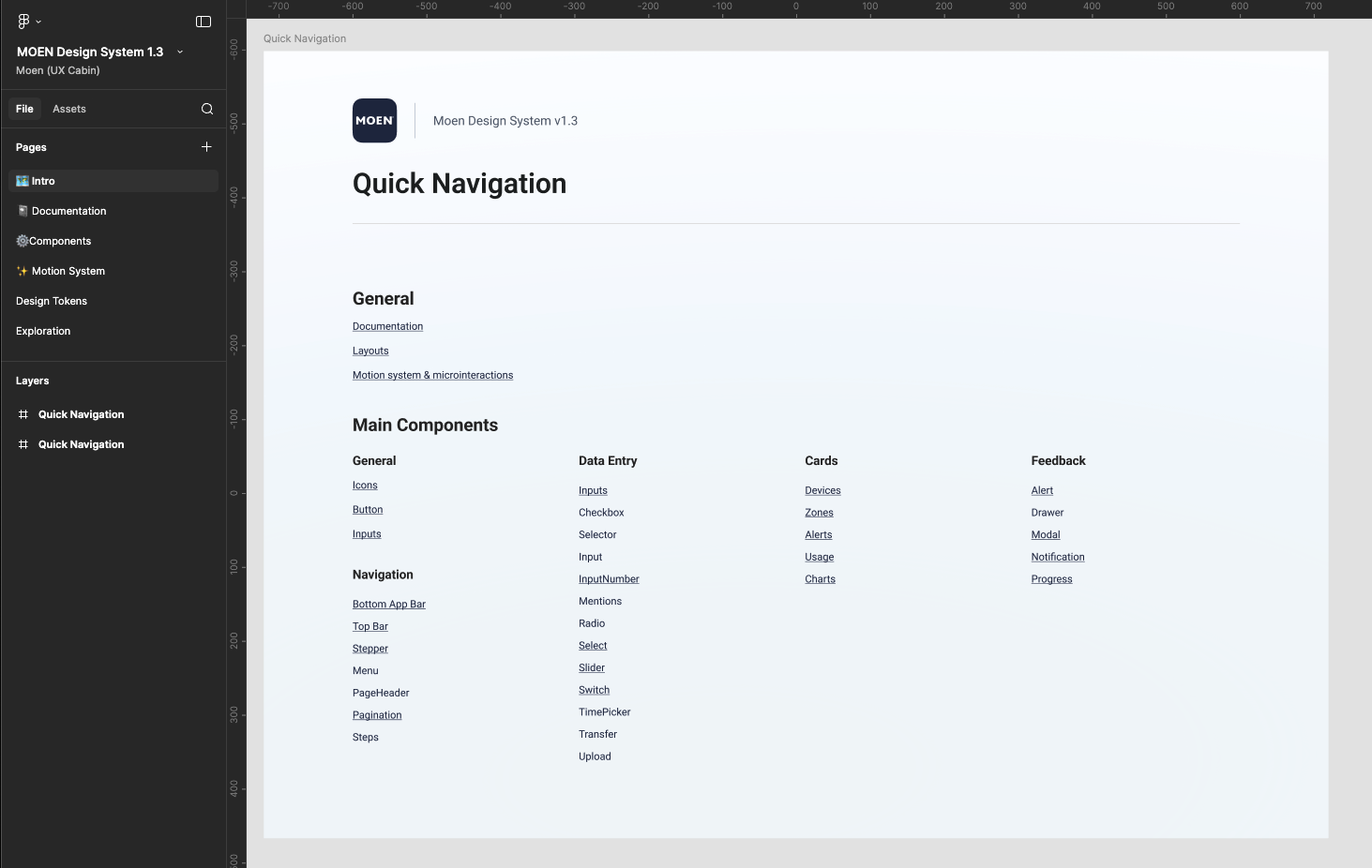
From this audit, I organized and architected the design system structure, establishing a clear hierarchy and naming conventions that would support scalability as Moen continued to expand their smart home product line.
- Discover: Define the brand’s essence and the feeling it should evoke.
- Explore: Experiment with compositions, grids, and lighting to achieve balance.
- Refine: Polish interactions and micro-details that elevate the digital experience.
Component Architecture
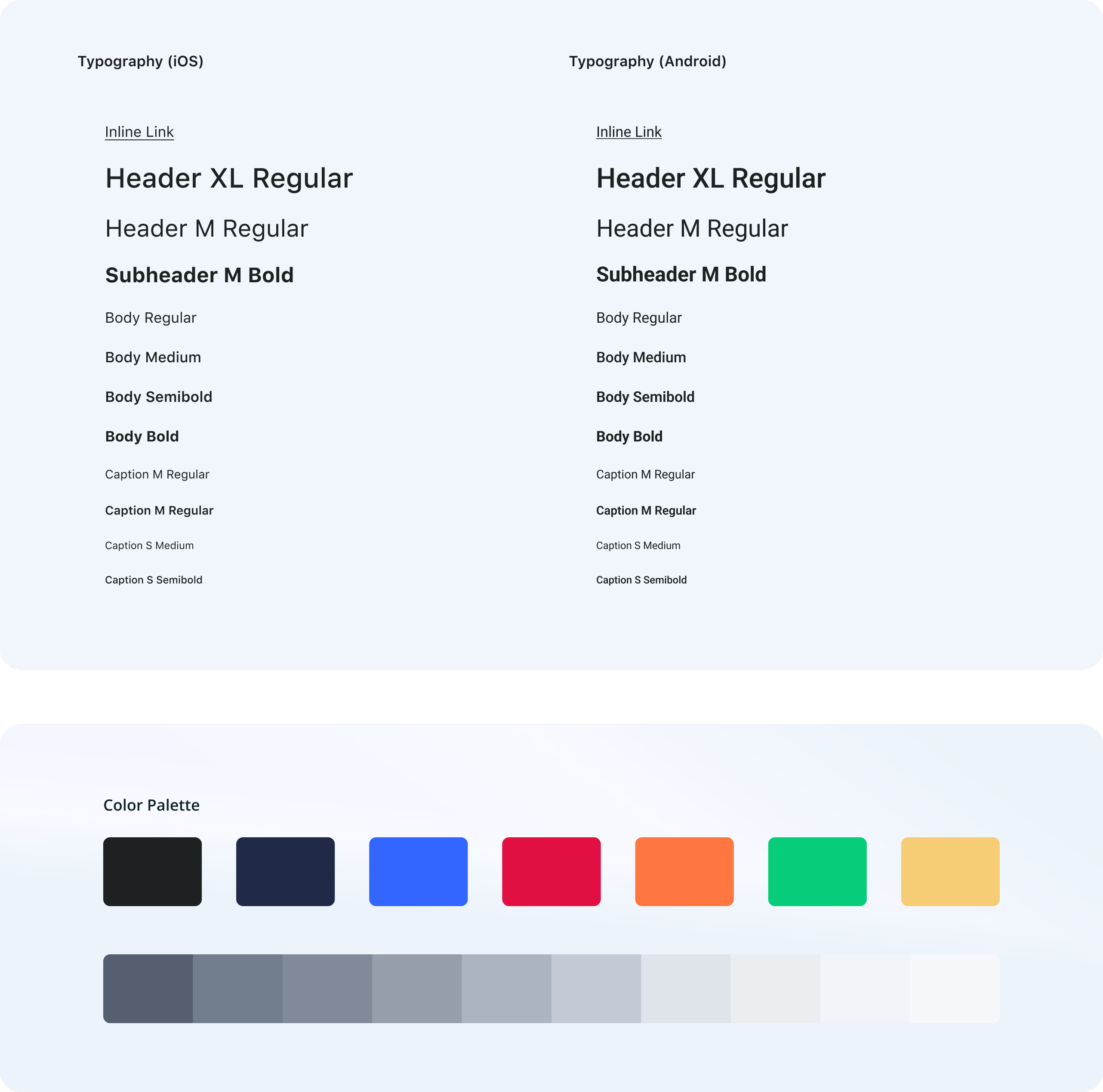
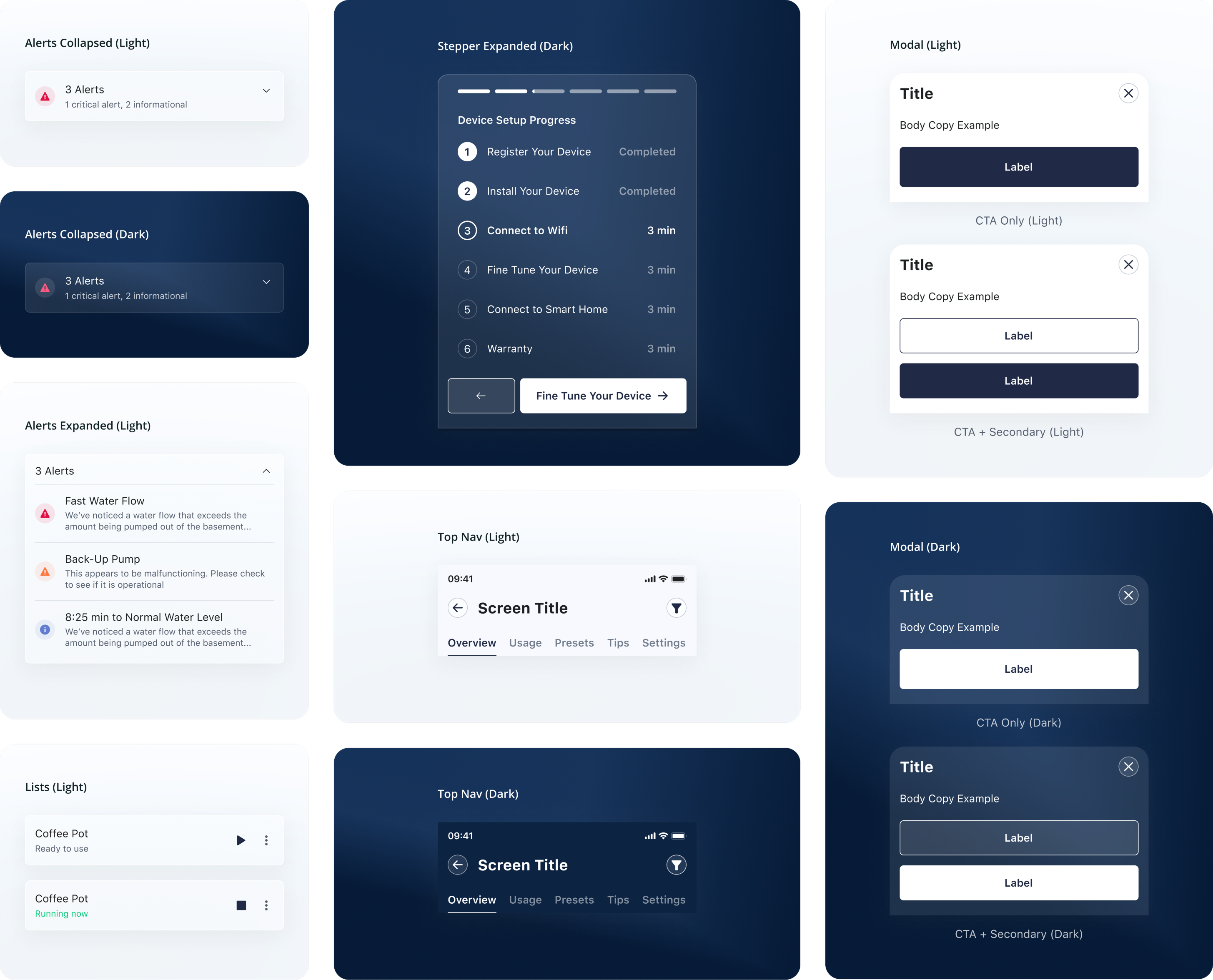
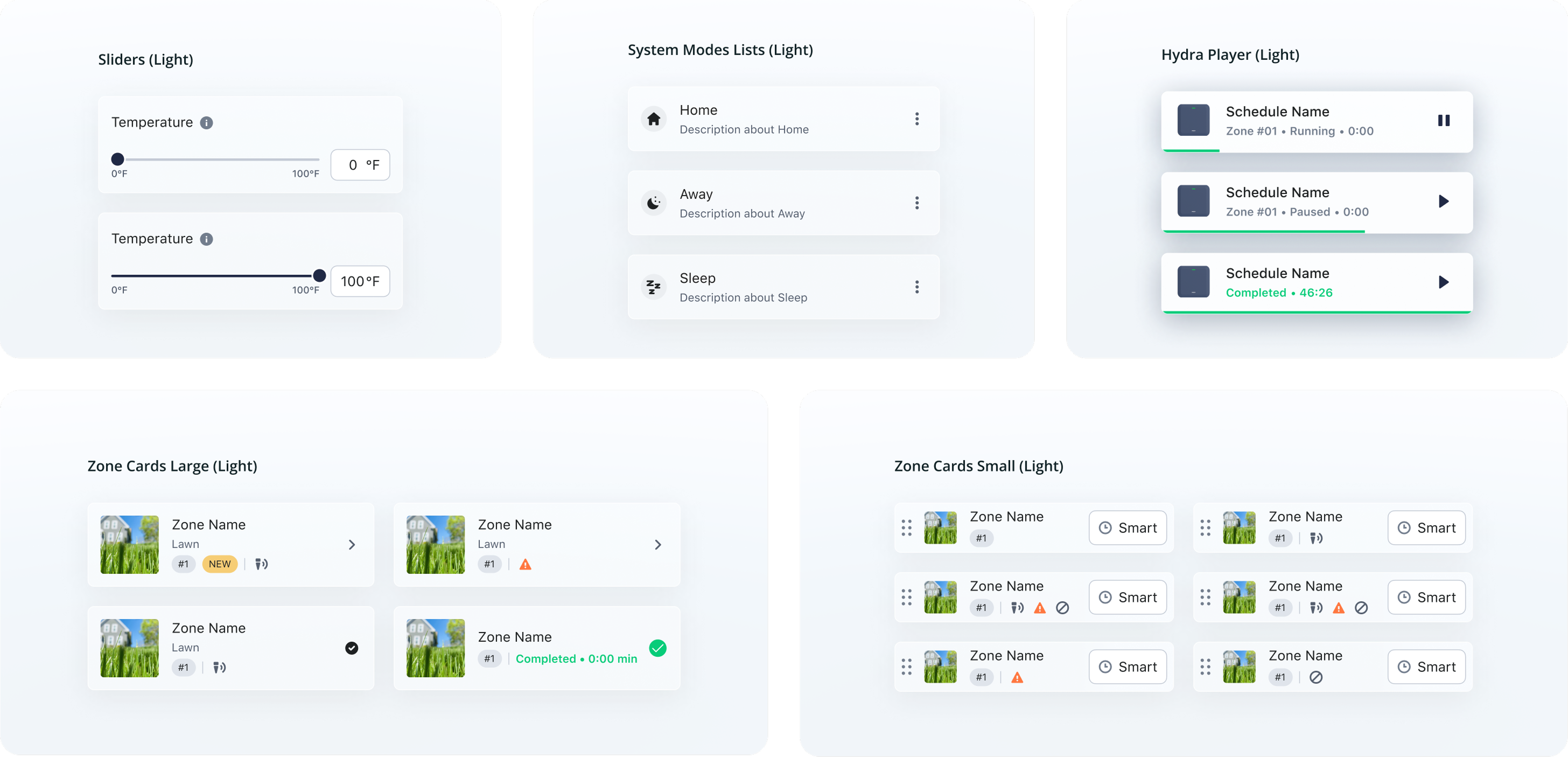
Following Brad Frost's Atomic Design methodology, I structured the design system from foundational atoms up to complex organisms, ensuring every component was built on consistent design primitives including text styles, color palettes, and container treatments.
I began by conducting a comprehensive audit of Moen's existing UI libraries and mobile applications. This involved reviewing legacy Sketch and Figma files across three separate apps that were being consolidated, identifying inconsistencies, redundancies, and opportunities for standardization.
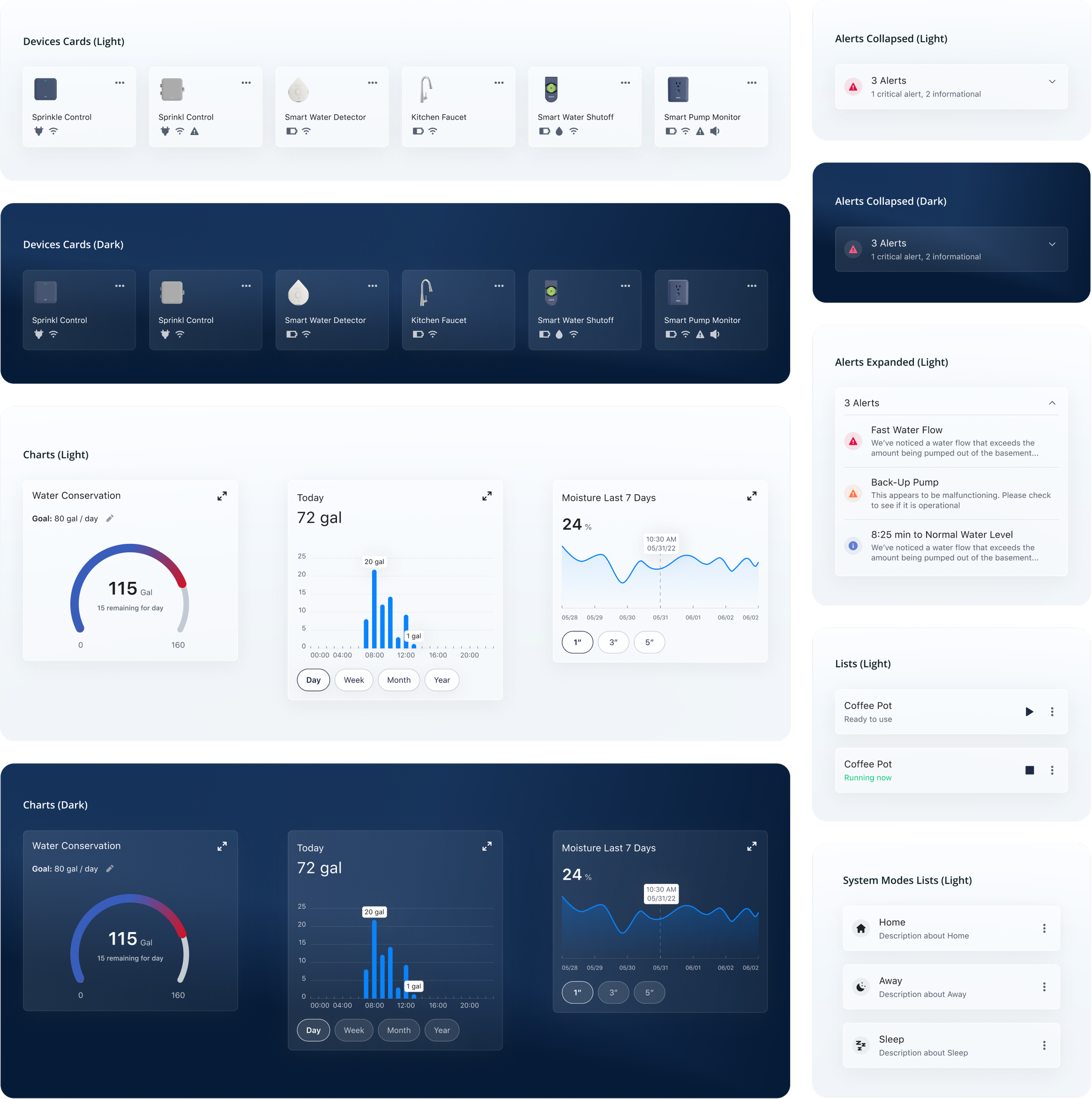
Card Component Design
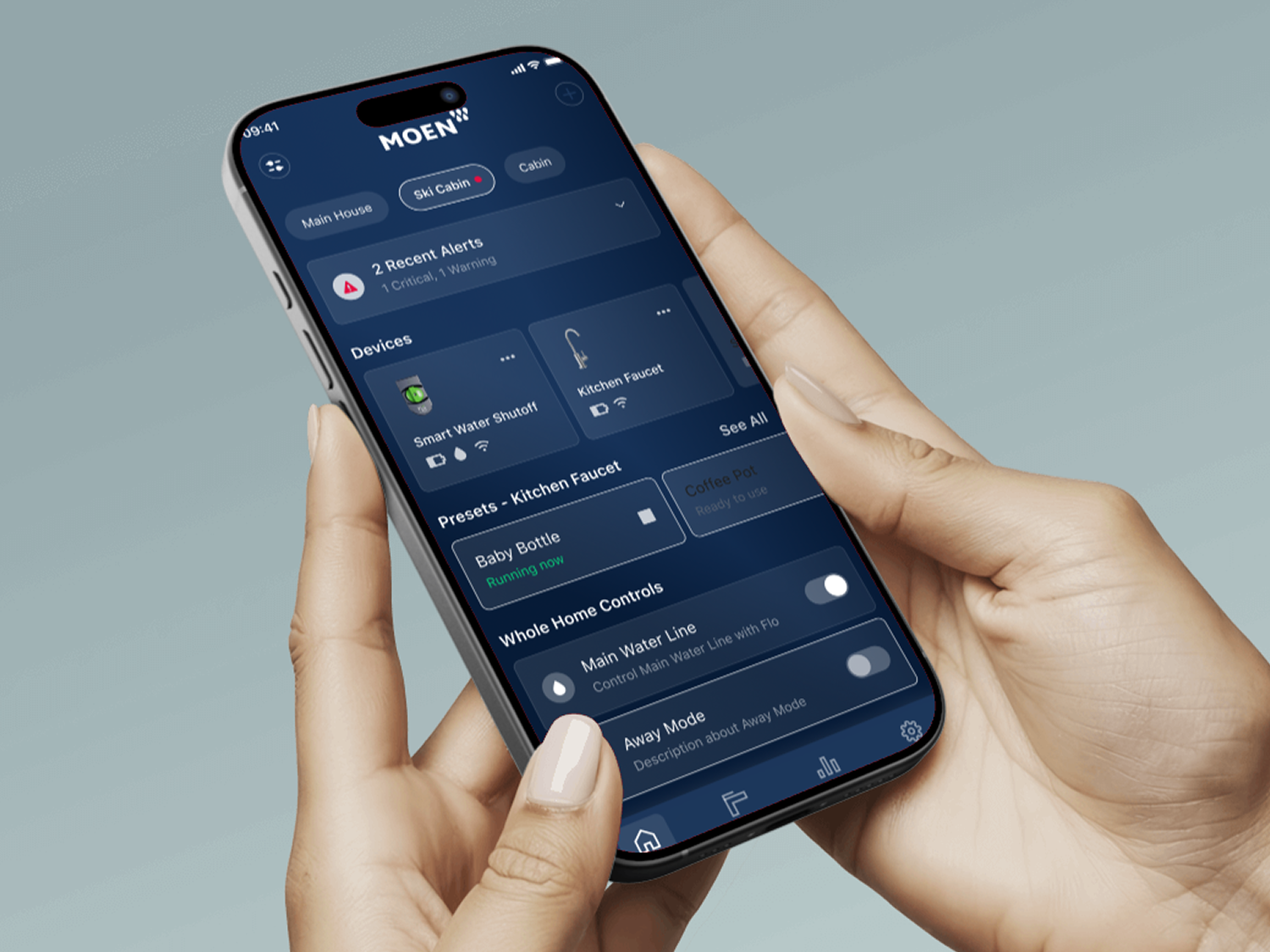
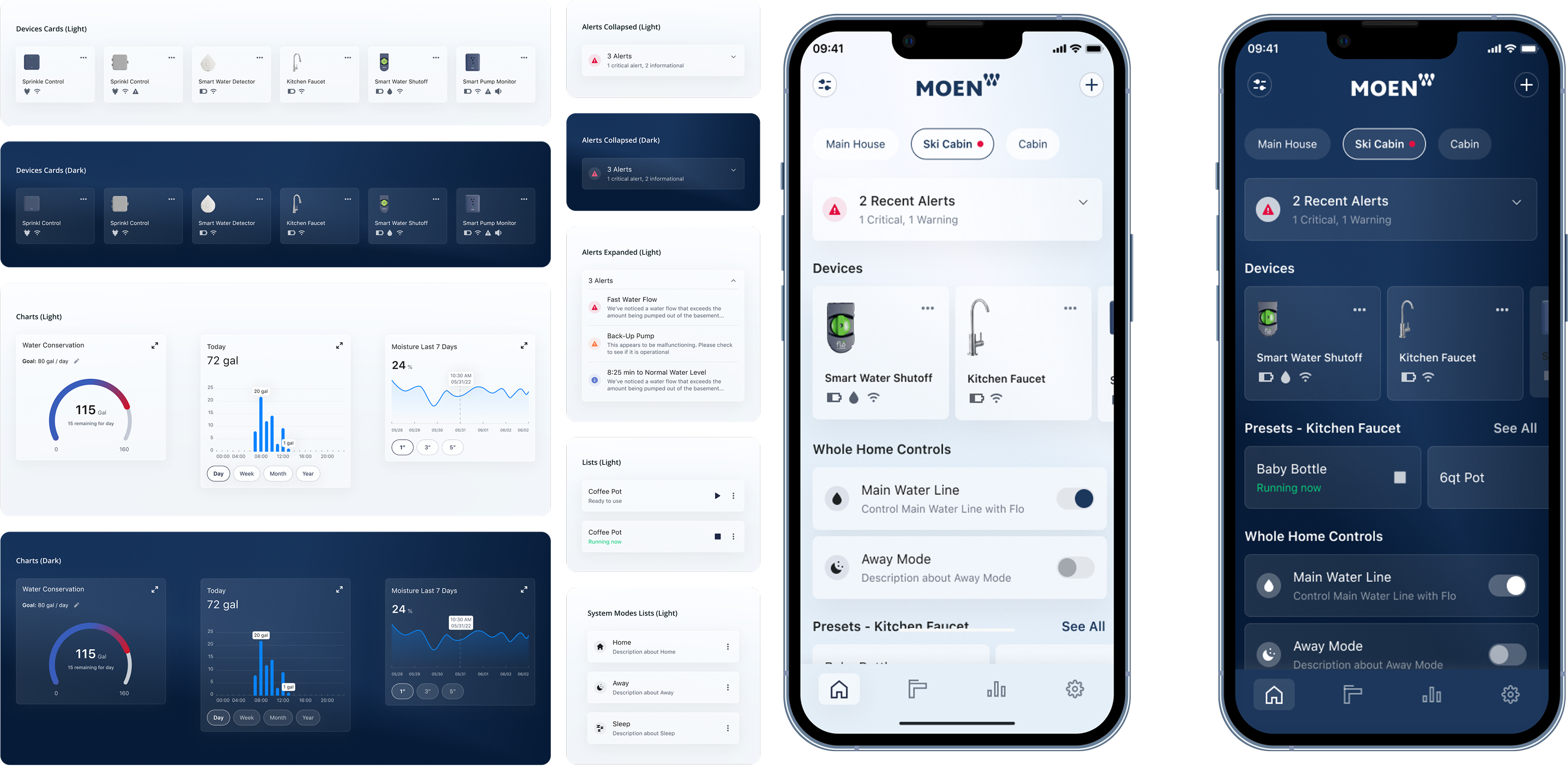
I created the card component system that became one of the most frequently used elements across the app. These cards needed to display device status, notifications, and product information in a flexible yet consistent manner. The component included multiple variants to accommodate different content types while maintaining visual cohesion.
Dark Mode Implementation
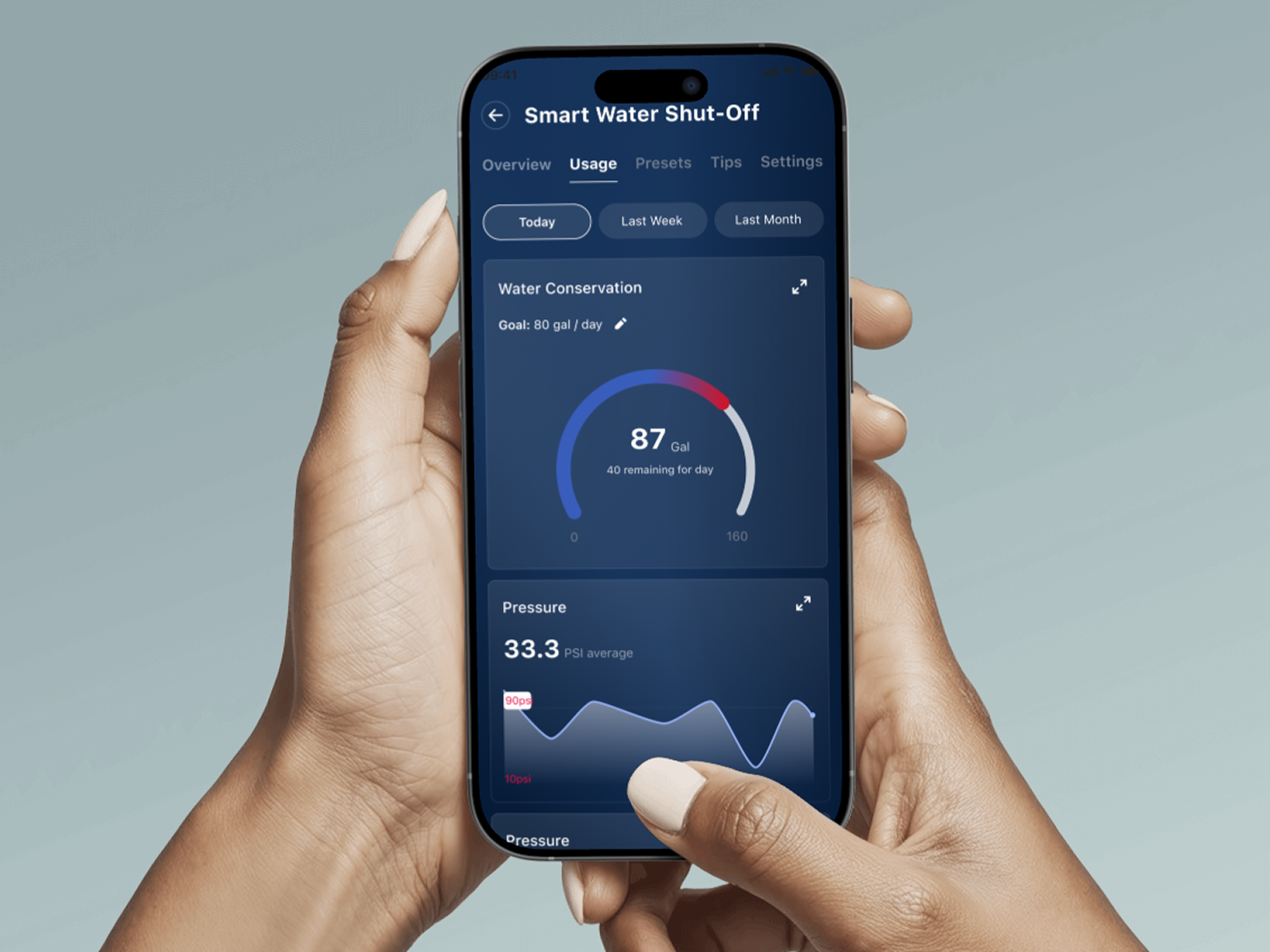
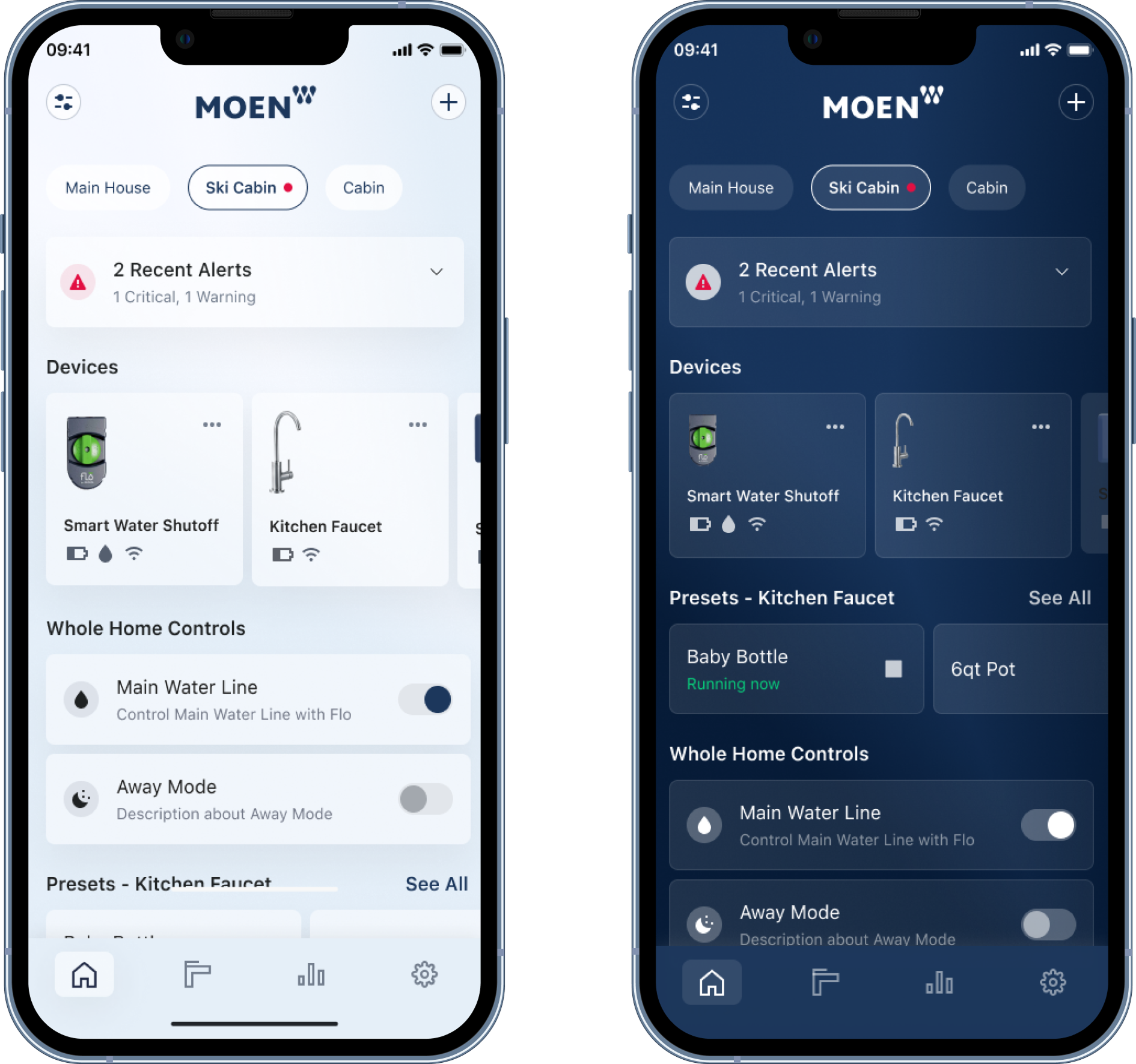
I designed dark mode versions for all UI components in the design system, ensuring visual accessibility and user choice between themes. This required careful consideration of contrast ratios, color adaptations, and ensuring all interactive elements remained clearly visible and accessible in both modes.I began by conducting a comprehensive audit of Moen's existing UI libraries and mobile applications. This involved reviewing legacy Sketch and Figma files across three separate apps that were being consolidated, identifying inconsistencies, redundancies, and opportunities for standardization.
The dark mode implementation included:
- Adapted color palette with proper contrast ratios
- Component variants for every atom, molecule, and organism
- Consistent visual hierarchy across both themes
Documentation & Guidelines
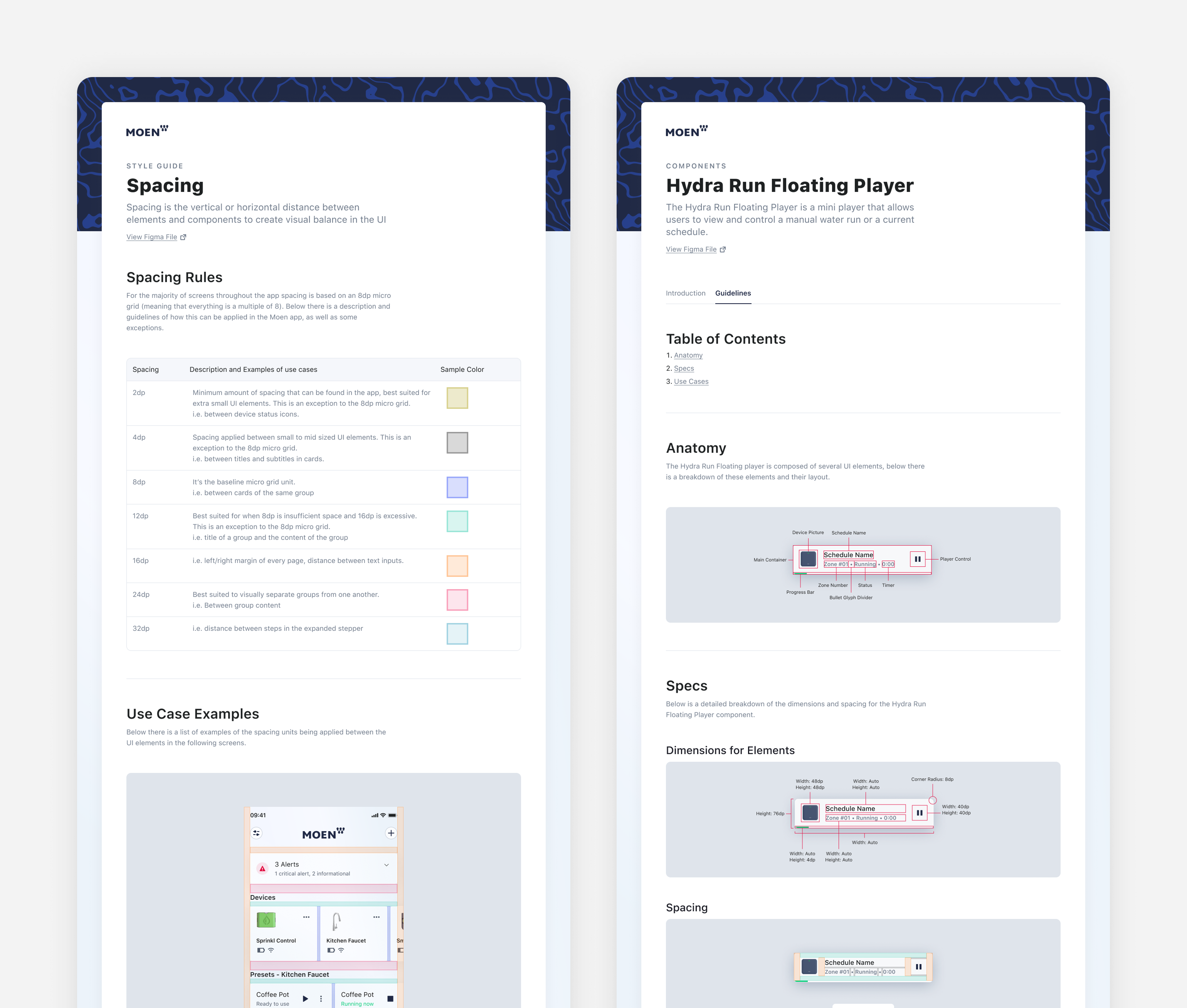
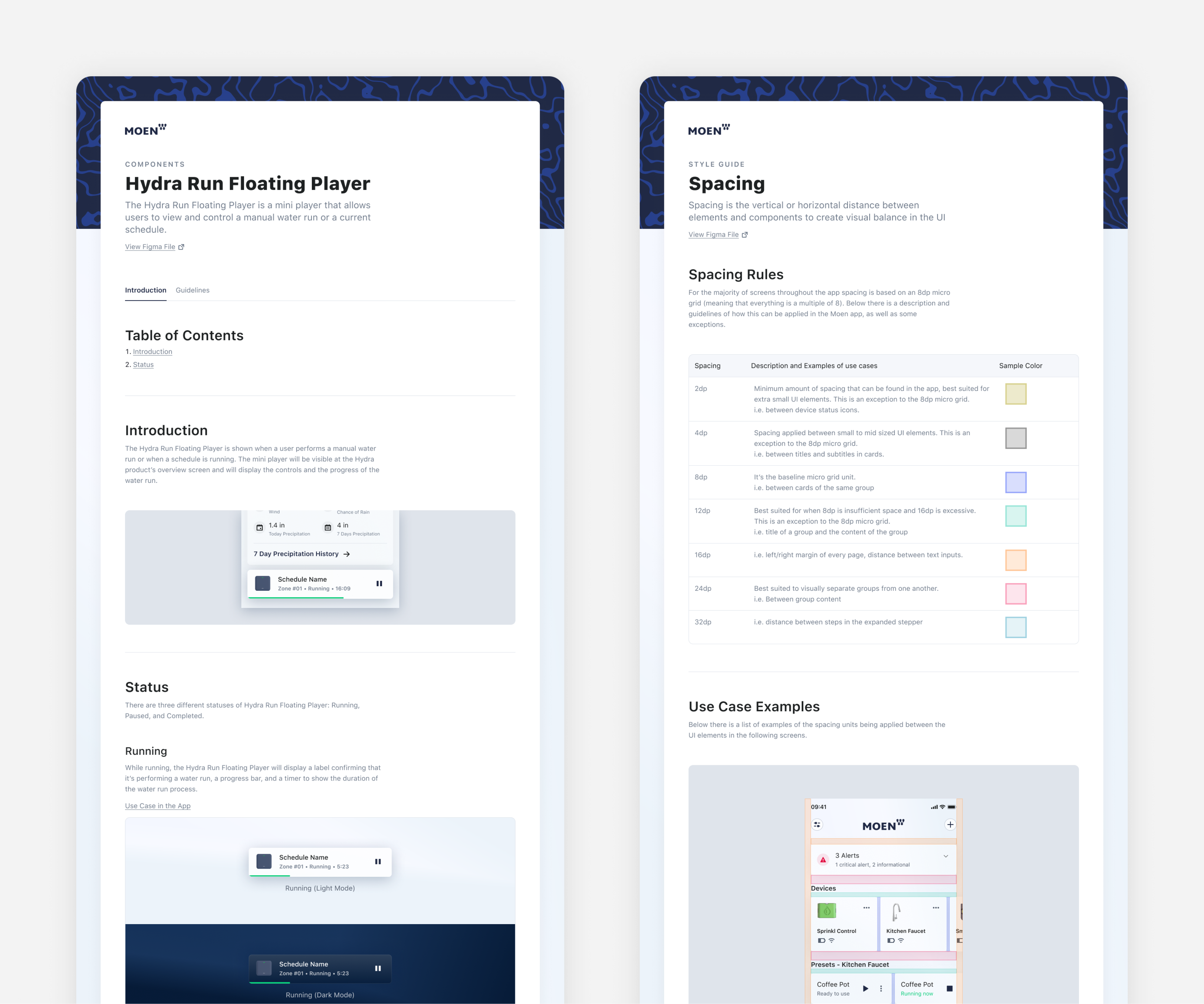
I created comprehensive documentation to ensure consistency in future designs and streamline onboarding for new designers and developers. This documentation detailed component usage, spacing guidelines, interaction patterns, and implementation notes.
The documentation covered:
- Component specifications and usage guidelines
- Spacing and layout systems
- Interaction states and behaviors
- Platform-specific considerations for iOS and Android
- Best practices for extending the design system
Create Water Schedule Feature
Feature Design
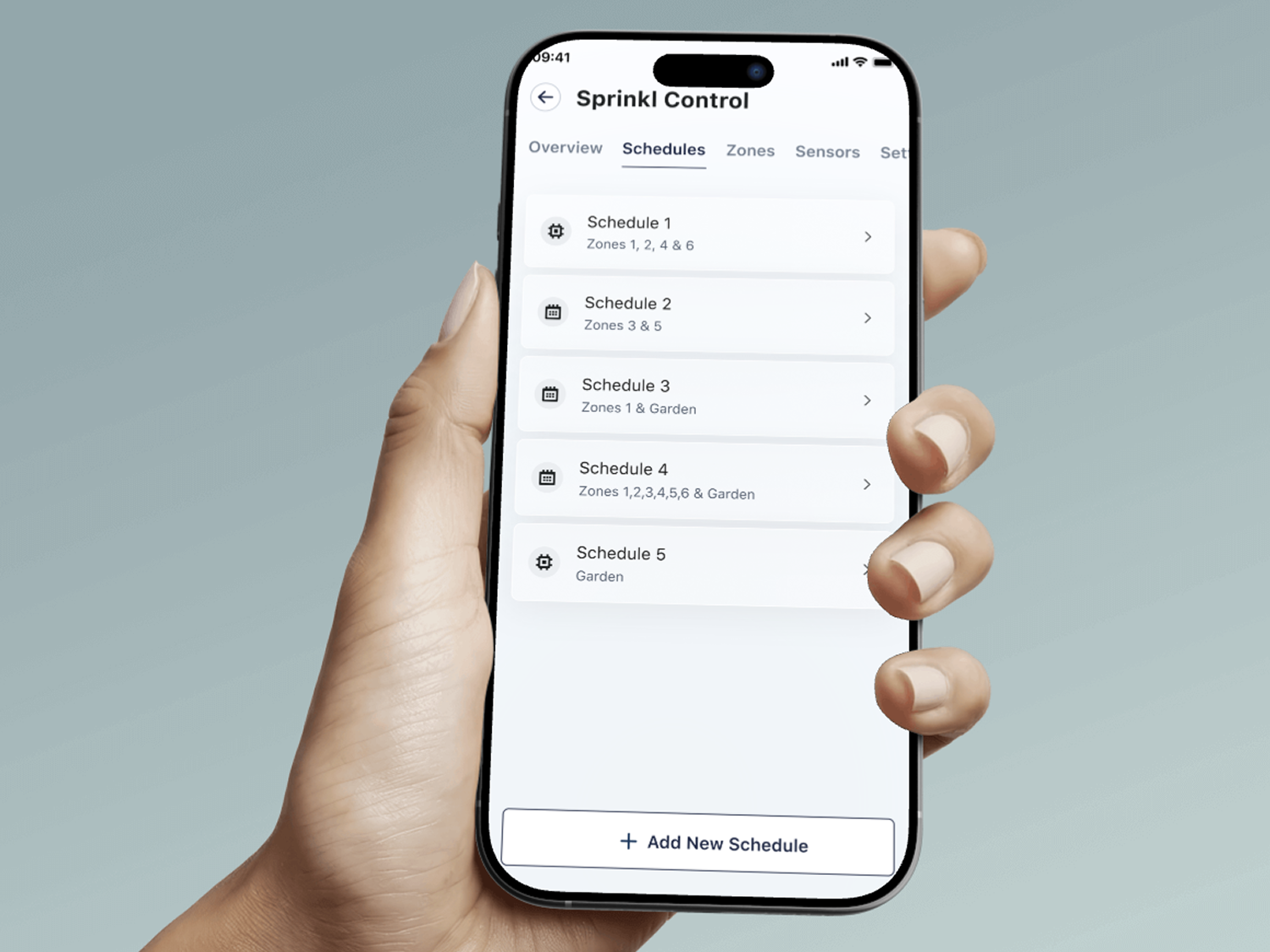
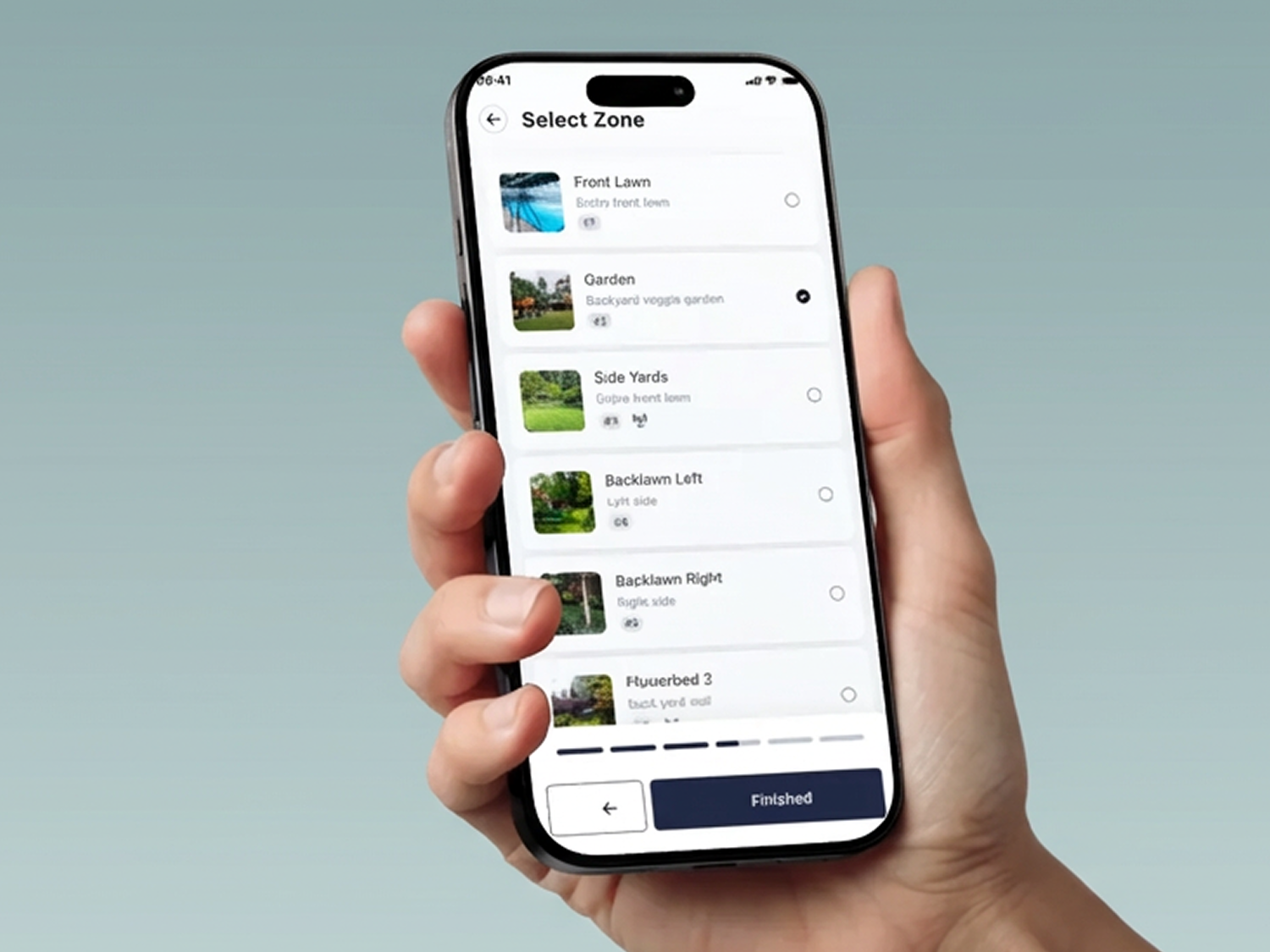
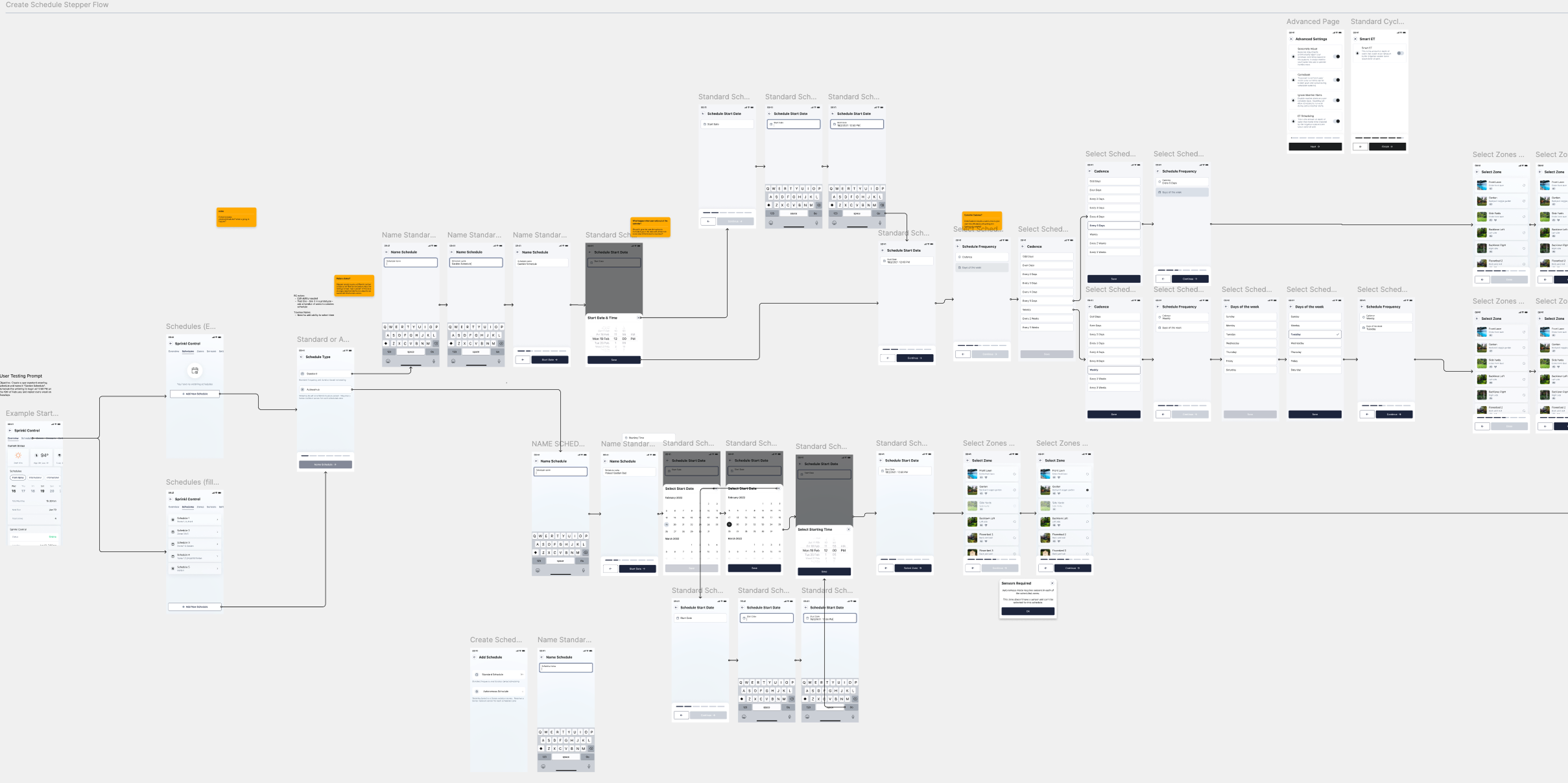
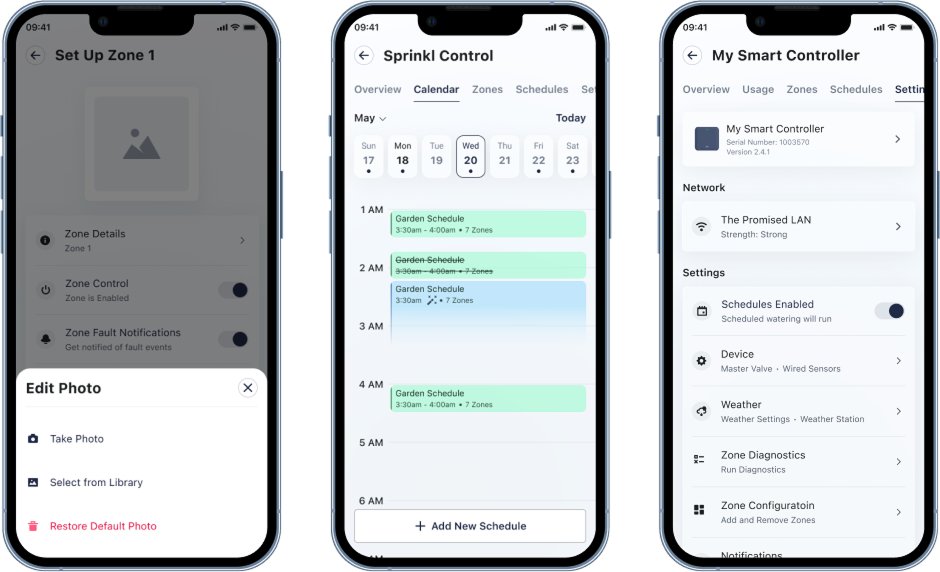
I designed the complete Create Watering Schedule flow, which allows users to set up automated watering programs for their smart irrigation systems. This feature required balancing complexity with usability, as users needed to configure multiple parameters while maintaining a simple, intuitive experience.
The flow included:
- Schedule configuration screens
- Time and duration settings
- Zone selection interface
- Weather-based adjustments
- Review and confirmation states
Prototype with Micro-Interactions
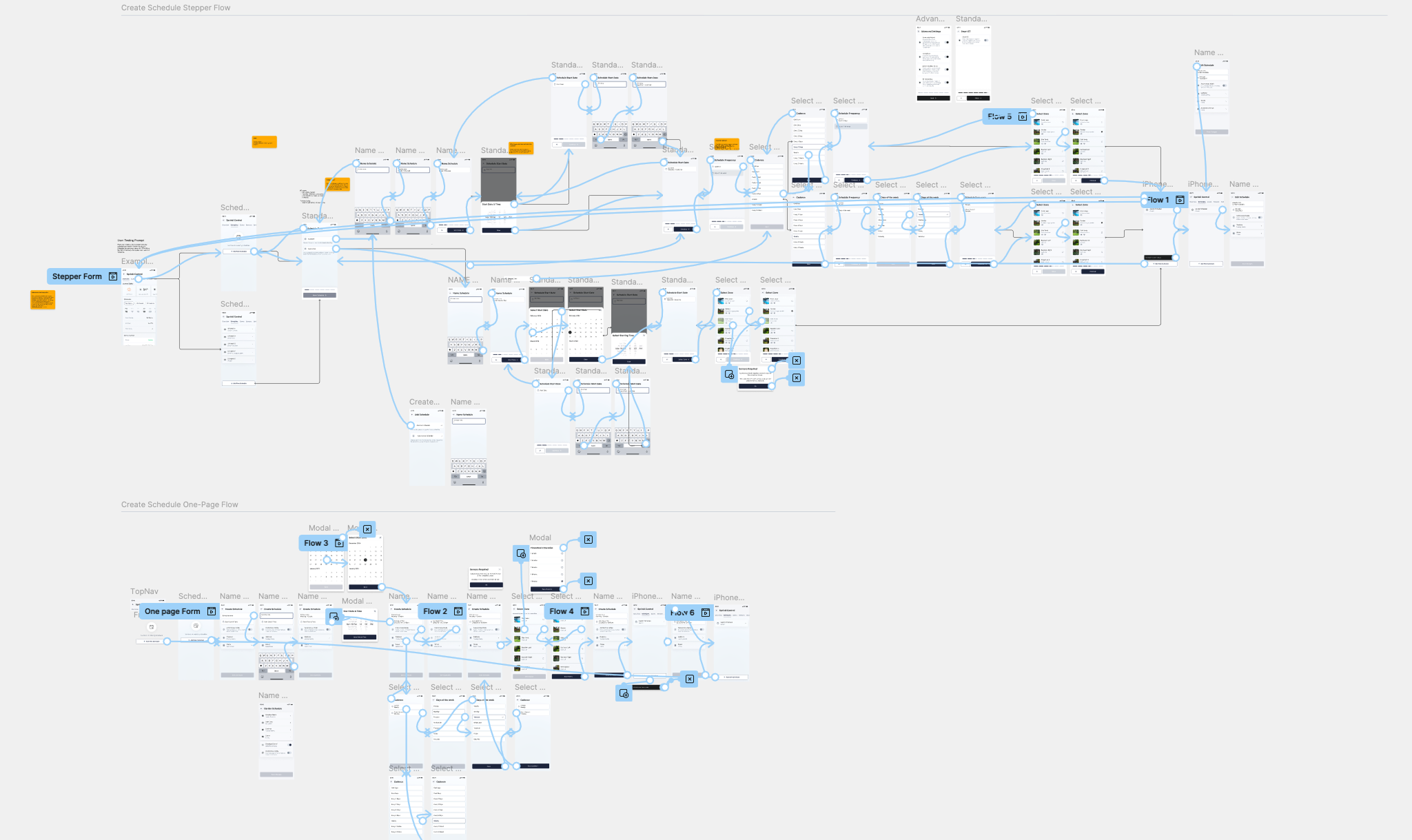
Using Figma, I created two different high-fidelity prototypes of the Create Watering Schedule flow to test for usability; a multi page experience utilizing a stepper for system status visibility and the other with a single page.
These prototypes incorporated detailed micro-interactions to increase user delight and provided feedback at each stage. These micro interactions enhanced the user experience by performing certain functions beyond aesthetics.
Key micro-interactions included:
- Smooth transitions between configuration steps
- Visual feedback for time picker interactions
- Animated confirmations when zones were selected
- Progressive disclosure of advanced settings
- Delightful success states upon schedule creation
The prototype served as a specification for developers, showing exact timing, easing curves, and interaction behaviors that would make the feature feel polished and professional.
Usability Testing
Validating the Designs
After completing the initial designs for the Create Watering Schedule flow, the Moen UX team lead usability testing sessions to validate design decisions and identify areas for improvement. These tests were critical for discovering common user mistakes, fixation points, and gathering qualitative feedback.
The usability tests revealed unintuitive patterns in specific flows that weren't apparent during the design phase, allowing us to refine and update the interfaces accordingly.
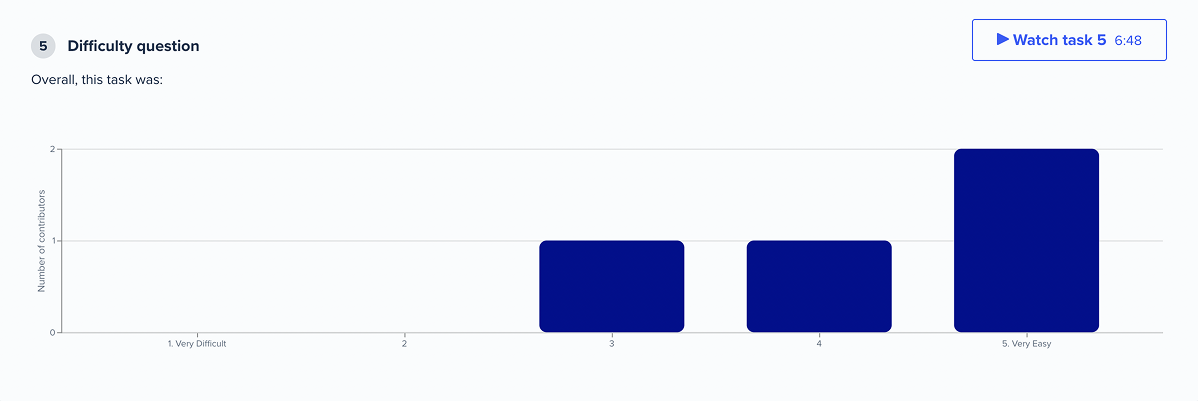
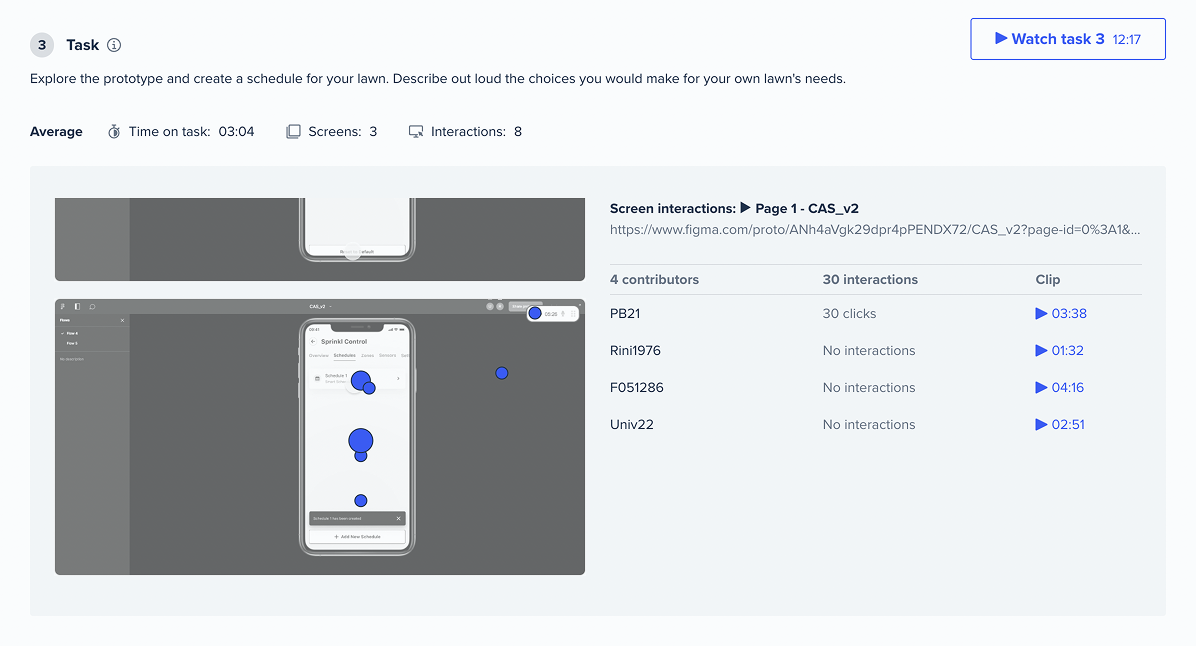
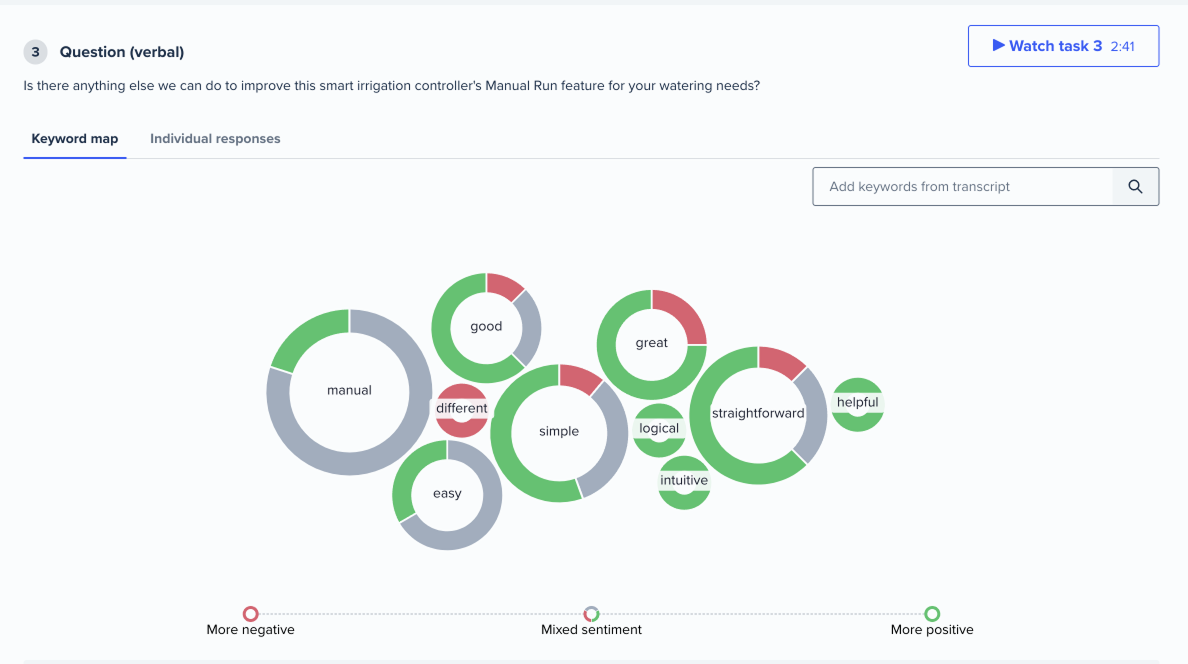
While the single-page flow was faster for those who finished it, it did encounter some users who found it challenging to complete the test. In contrast, the multipage flow required more clicks to complete but ensured that all users were able to complete the task.
Testing the Create Watering Schedule prototype with real users helped identify:
- Points of confusion in the configuration process
- Opportunities to simplify complex settings
- Areas where additional guidance or feedback was needed
These insights led to iterative improvements that made the final designs more intuitive and user-friendly, ensuring that the complexity of scheduling automation didn't overwhelm users.
Impact
The design system I established enabled Moen to:
- Create 400+ reusable components with ~2,500 insertions per week
- Significantly accelerate product development timelines
- Maintain consistency across multiple smart water devices
- Onboard new team members more efficiently
The Create Watering Schedule feature became a core part of Moen's smart irrigation offering, helping users easily automate their outdoor water management with an intuitive, well-crafted interface.

“Brendon and I onboarded at Arrive at the same time. I was quickly impressed by his knowledge about UX tools, processes, etc…
Throughout our tenure he continued to pursue an interest in understanding and improving process to improve delivery, while bringing value to the user. There was constant praise and recognition from his peers and team.
We all enjoyed his personal brand of storytelling and how to articulate the victories and defeats that come with the role. I would highly recommend Brendon.”
Next project
Let’s bring your next project to life
Whether you need to overhaul a Transportation Management System, a full Manufacturing Resource Planning system, or 0 - 1 creative guidance I’m here to help turn your ideas into something that is both profitable and user friendly.